
Controlling Dimensions
The Controlling Dimensions application provides deeper visibility and the flexibility to explore information from multiple angles, supporting more granular analysis where needed. This broader perspective helps you drive more informed decisions and supports more strategic planning. Its core purpose is to clarify performance by presenting key figures such as revenue, costs and margins in a way that aligns with the analytical views most relevant to your organization.
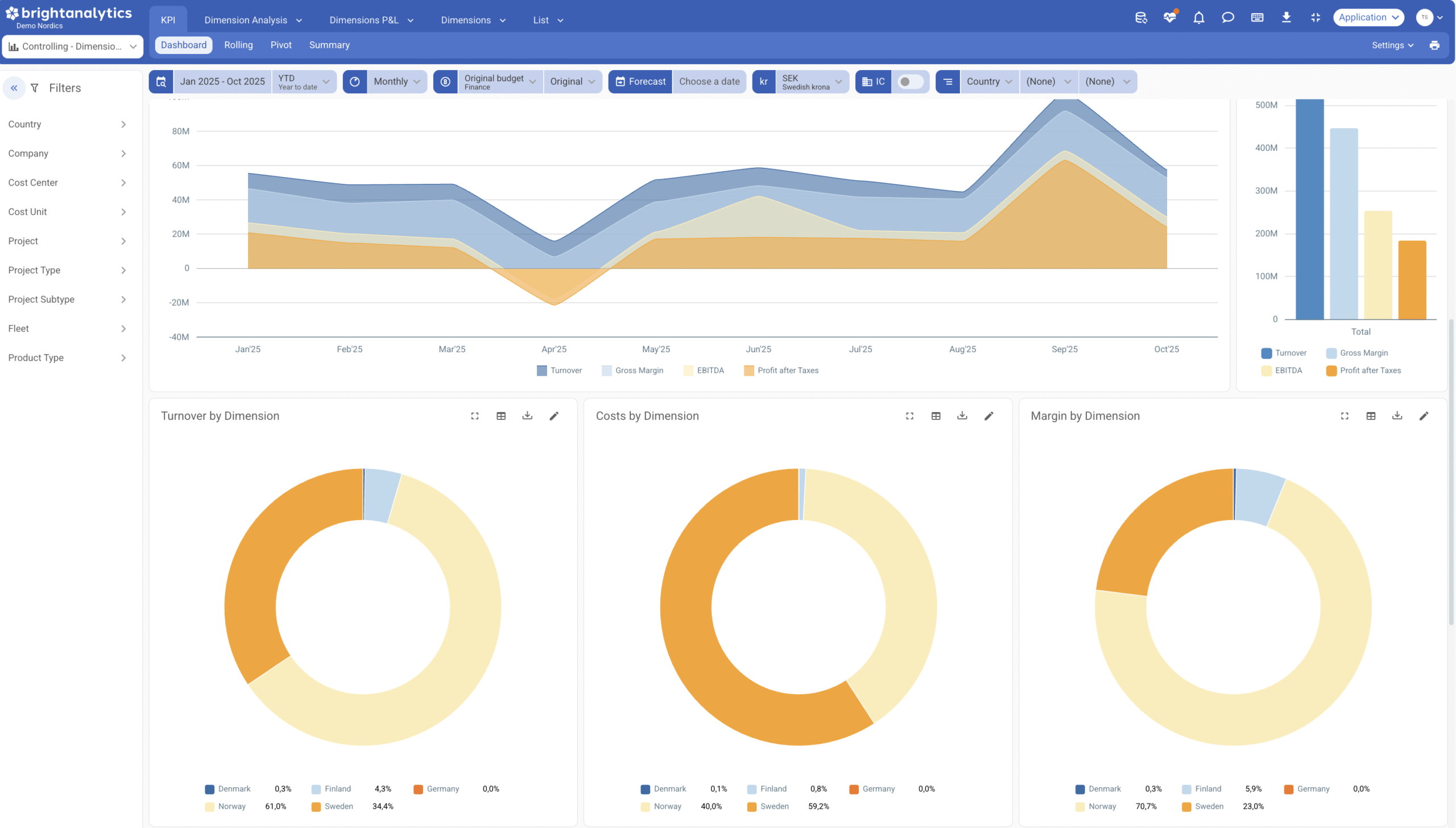
Intuitive Design, Powerful Filtering
The application is designed to be intuitive and straightforward. It initiates with a high-impact overview tab featuring enhanced visualizations that effectively represent the key metrics and dimensions vital to your operations. The familiar, efficient filtering panel is available, now enriched with your specific analytical business dimensions. Flexible time-based controls enable you to seamlessly switch the scope of your analysis across different time intervals, matching your reporting needs.
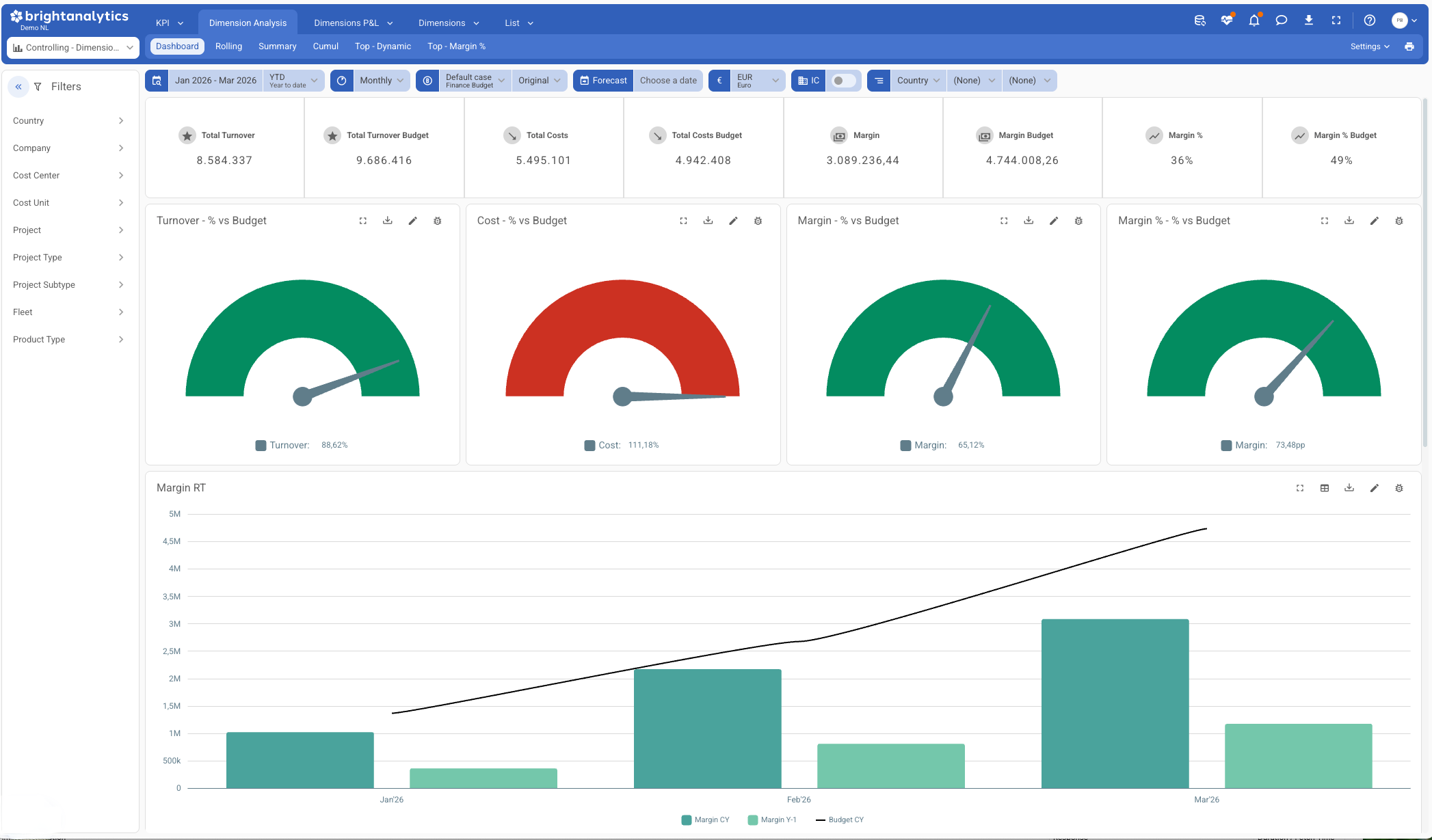
Gain control over segment performance
The Dimension Analysis view is designed to drive financial precision by supporting more structured budgeting and planning at the individual segment level. You can instantly drill into the metrics that matter within a specific dimension, compare results over time, and build reliable forecasts. This concentrated focus delivers the clear, precise view needed to make well-grounded strategic decisions for every part of your business.
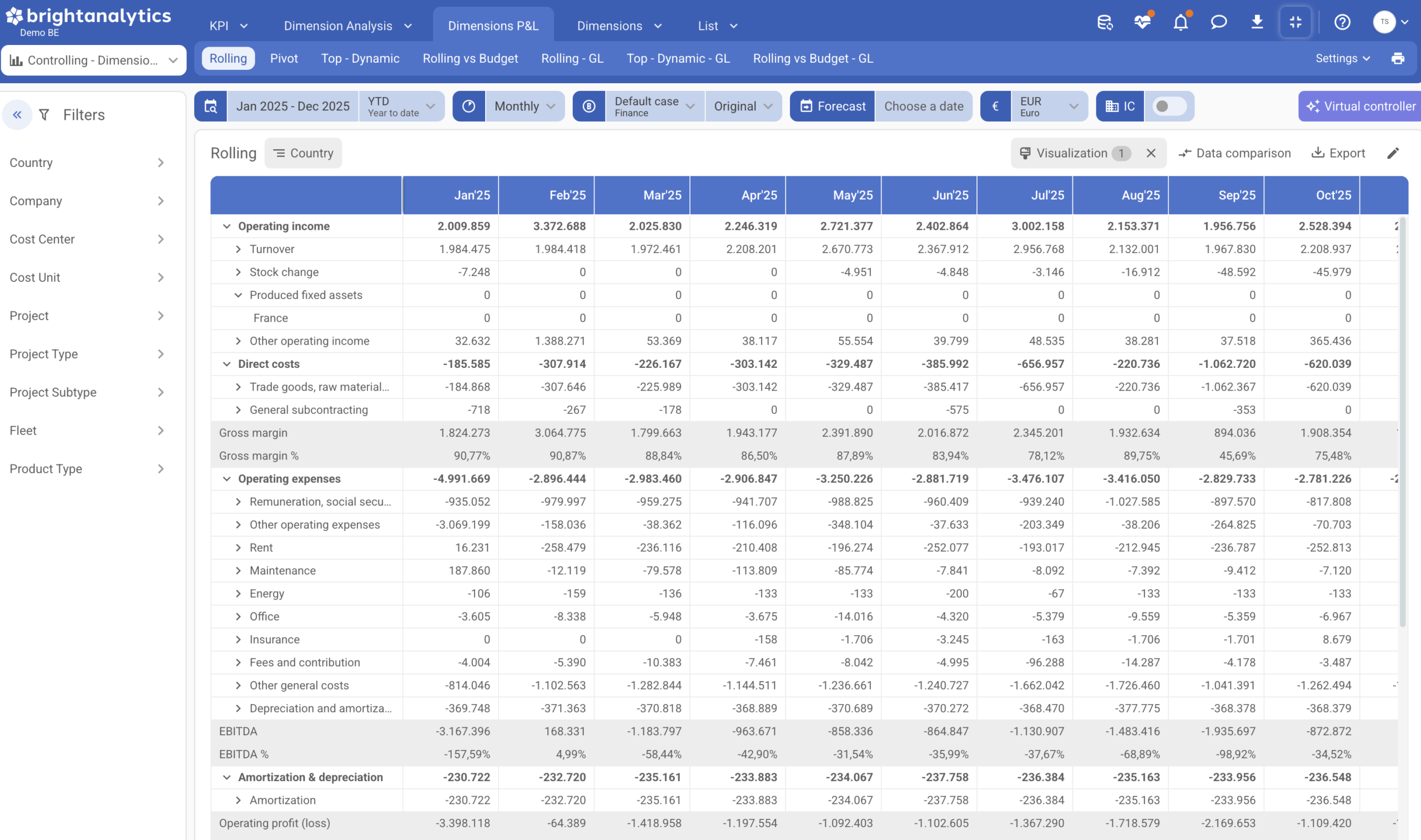
Budget, plan and Drill into detail
The Dimensions P&L adheres to your established management P&L structure. The core difference lies in the advanced drill-down capability: this view bypasses general accounting details to take you directly to the underlying analytical dimensions. This results in a purely business-focused analysis, perfectly mirroring how your organization operates and makes key decisions. A powerful dedicated view allows you to initiate your analysis directly from the analytical dimension itself. From this segment-first perspective, subsequent analysis reveals the specific financial structure associated with that dimension, providing a clear, undeniable link between segment performance and financial results.
Controlling Dimensions
KPI’s
Measure your performance with KPI’s like:
- Margin (%)
- Budgeted Margin (%)
- LTM/YTD/Monthly/Total Turnover/Costs
- Top Dimensions
- …
Filtering Options
The app provides flexible filters for company, project, cost unit, and more. It also allows filtering on company-specific dimensions to reveal where results are coming from
Full Dimension Insights
Gain a complete understanding of costs, revenue and margins across all your unique company dimensions. Spot opportunities and trends without overloading your main reports.
Actuals vs Budget
You can compare actuals against budget and forecast across all dimensions, either for a selected period or independently of the period selection.
Tailored Profit Analysis
Analyze profit and loss for specific projects, departments or product groups. See exactly how each part of your business contributes to overall performance.
Costs linked to document numbers
For significant costs, you can also specifically trace back which invoice, purchase order, … is linked to them.

Let’s make your data talk. BrightAnalytics has 400+ integrations.
- Connect all types of applications, both accountancy and ERP and CRM.
- The resource can be online, on premise or even a spreadsheet.
- Any number of applications can be combined on the platform.
FAQ
Below you’ll find answers to commonly asked questions about our controlling app. If you have a question that isn’t addressed here, feel free to reach out to us directly for assistance.
- Does BrightAnalytics connect with my package?
On the page https://www.brightanalytics.eu/integrations/ you can find a list of all our connectors.
- What is the difference between Controlling Dimensions and Controlling Accounts
The primary difference between these modules lies in the depth of analysis. Controlling (Accounts) focuses on high-level financial monitoring using general ledger accounts and core KPIs to track overall results and cost structures. In contrast, Controlling Dimensions enables granular analysis by segmenting financial data across specific variables, such as projects, departments, or locations.
- Does my package need to be a Cloud package?
No, your package does not need to be a Cloud package. BrightAnalytics links up with packages from the Cloud, on the server, or even Excel files.
- What is the difference between the standard dimensions in management reporting and the dimensions in controlling dimensions?
Standard management reporting only includes the dimensions such as cost centers, cost units and departments, which flow through the full P&L.
Controlling dimensions allow you to include additional dimensions that do not run through the entire P&L, such as projects, product groups or license plates, which may only track costs.
See this app in action
- Request a demo
By leaving behind your details, you will be contacted for a personal demo explaining the controlling app.